HelloNotes 1.0: a Markdown knowledge base that is actually a Mac app
Fifteen days, 220 commits and 32,000 lines of Swift — a local-first knowledge base whose database is a folder, built from a single-sentence prompt. What the method got right, and the four traps that ate real hours.
 Chris ThamMon Jul 27 2026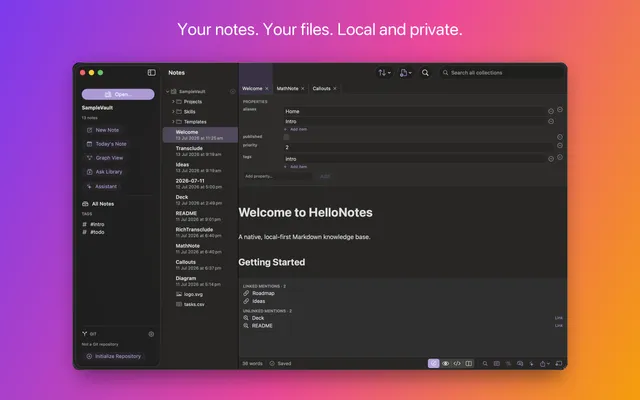
HelloNotes 1.0 is out today. It’s free, signed and notarised by Apple, universal for Apple silicon and Intel, and it needs macOS 15 or later.
Download it · hellotham.com/hellonotes · Source
What it is
A knowledge base whose database is a folder.
Your notes are ordinary .md files somewhere you chose. There is no import step, no library format, no account, and no sync service of mine. If HelloNotes vanished tomorrow, every note would still open in any text editor on any platform — because they were never anything else.
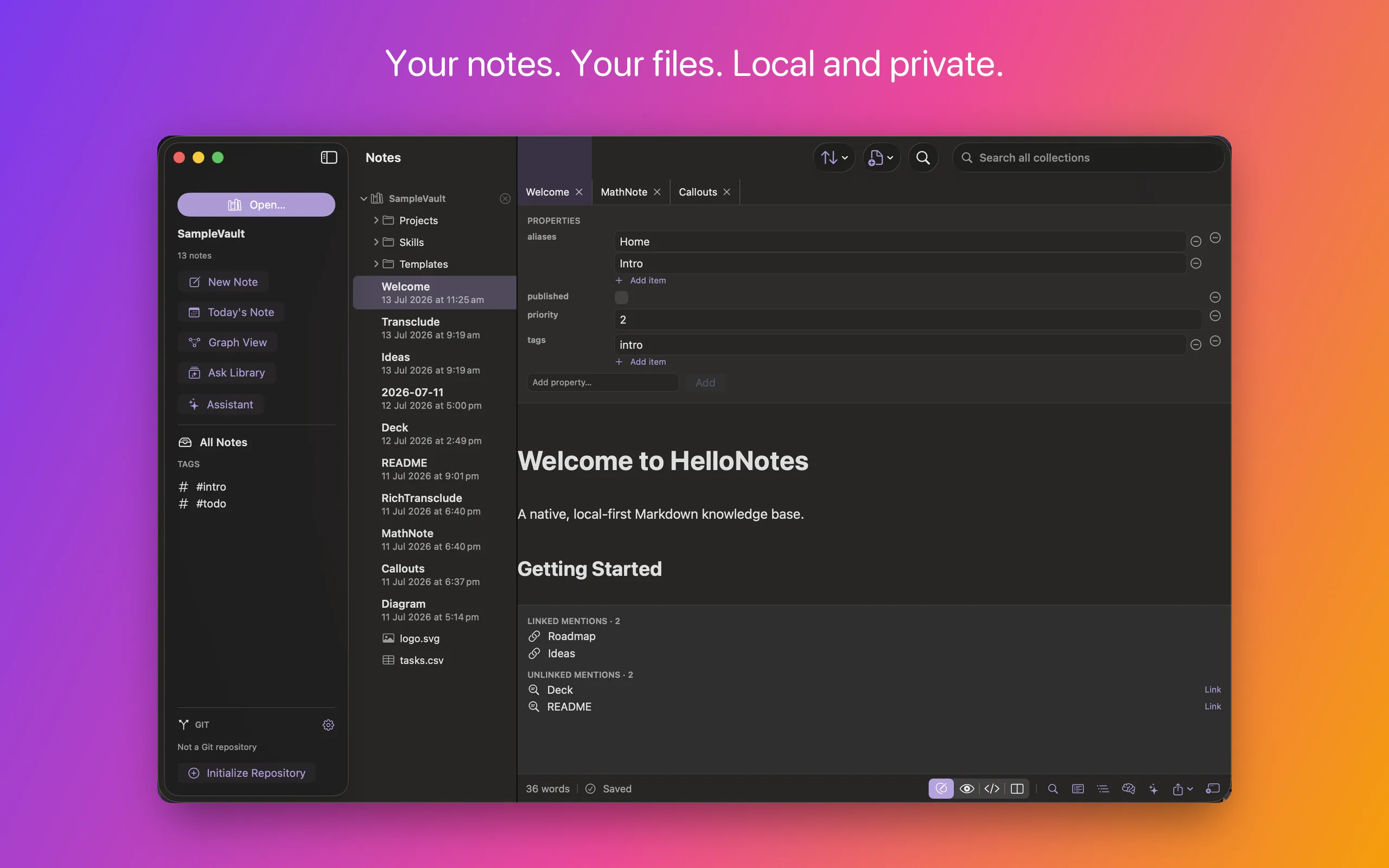
On top of that folder you get the things that make a pile of files into a knowledge base: [[wiki-links]] with autocomplete and aliases, backlinks, unlinked mentions, transclusion, nested tags, full-text search, daily notes, templates, and a graph view. Plus Git version history, cloud-folder support, and on-device AI.
An existing Obsidian vault opens as-is — wiki-links, tags, aliases and front matter intact. There’s nothing to convert, because there’s nothing to convert to.
The bet
Every Markdown tool asks you to give something up. Obsidian is powerful and local-first, but Electron — heavy, and never quite native in the way text handling on a Mac can be. Bear and Apple Notes are fast and beautifully native, but your notes live in an opaque database you can’t grep or version. Typora is a lovely focused writing surface but is document-centric rather than a linked knowledge base. VS Code will happily edit Markdown, but it’s a code editor wearing a writing hat.
Four things, and nothing had all of them:
- Genuinely native performance and feel
- Plain files on disk that you own
- First-class Git sync
- A linked knowledge graph —
[[wiki-links]]and backlinks
My bet was that a knowledge tool built on AppKit + TextKit 2 + SwiftUI could deliver editing latency, scroll performance and OS integration that web-tech competitors structurally cannot — while keeping your data in an open, greppable format you fully own.
That bet is only interesting if the editor is genuinely good. Which is where most of the fifteen days went.
The editor is the whole product
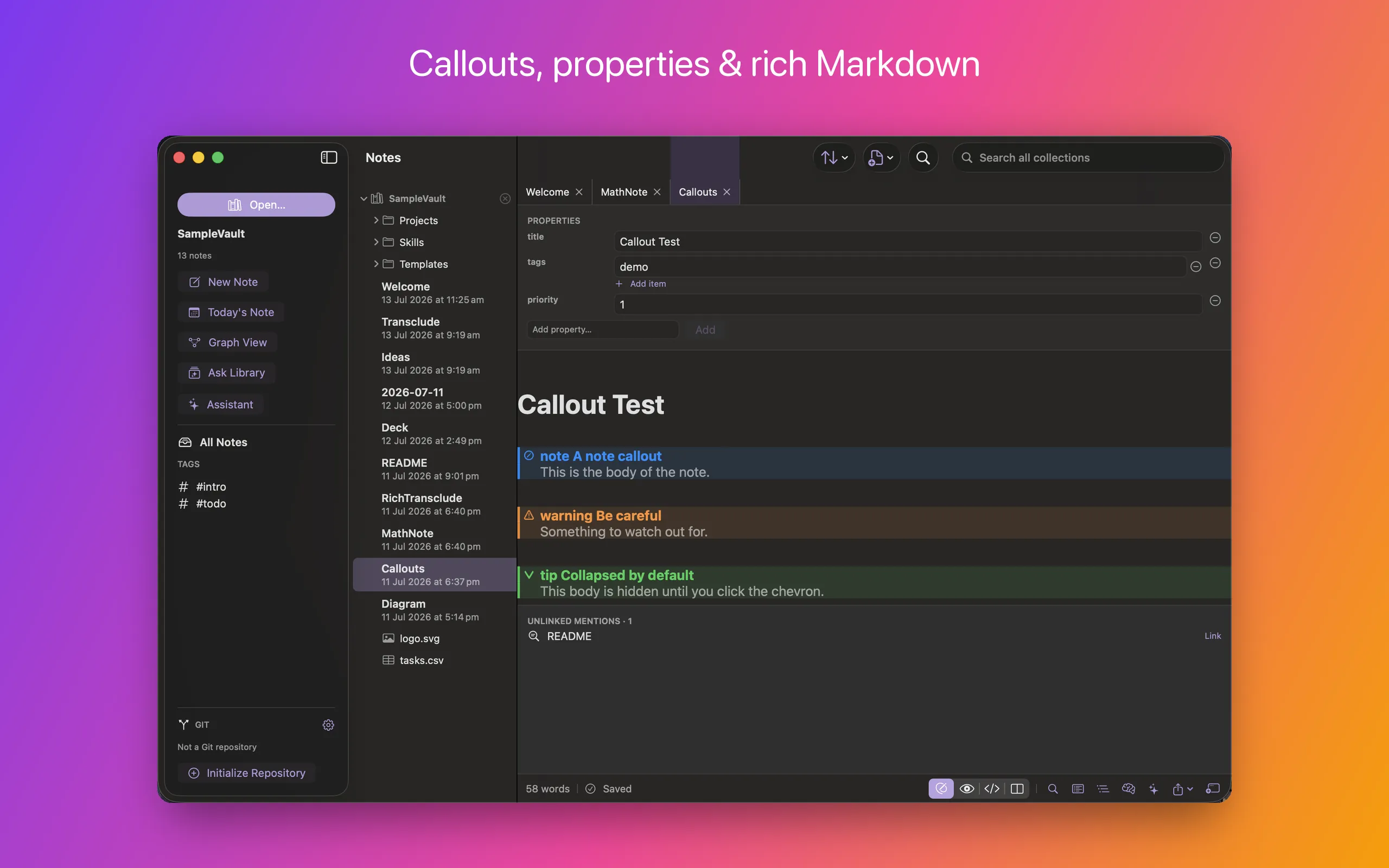
HelloNotes styles Markdown as you type. Headings grow, emphasis takes effect, tables align, callouts get their coloured band — while the file on disk stays exactly the Markdown you typed. Move the caret into a construct and its raw syntax appears so you can edit it; move away and it tidies itself again.
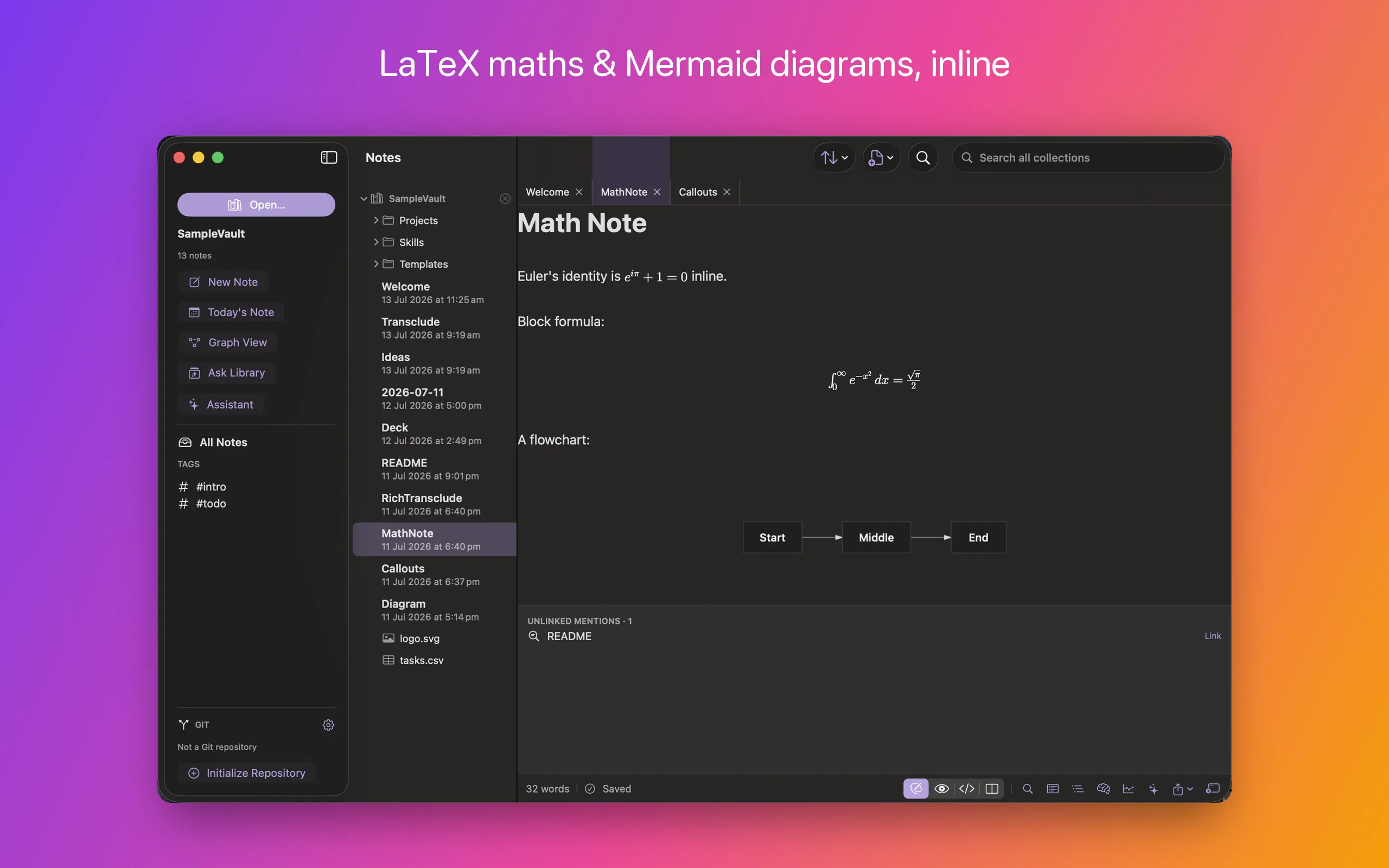
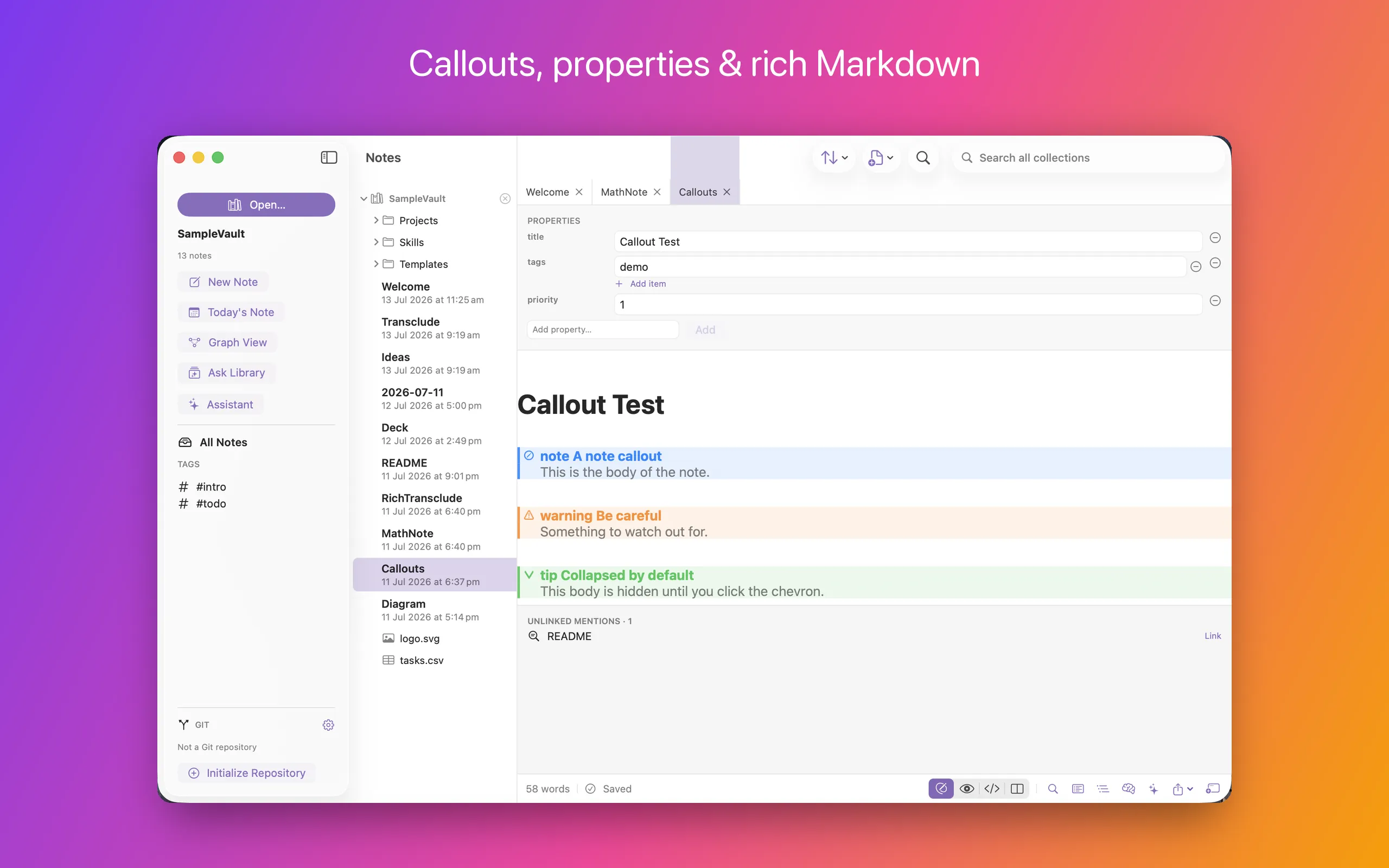
Maths and Mermaid diagrams render natively — no browser engine anywhere in the editor. Code blocks are syntax-highlighted across ~190 languages using GitHub’s own theme. Callouts collapse. YAML front matter is hidden from the prose and shown as a typed, editable Properties panel instead of raw YAML.
Two design rules got it there, and they’re the intellectual core of the whole project:
1. Raw Markdown is the text storage. One text, one coordinate system. Byte fidelity holds by construction, because presentation is only attributes and drawing — never text substitution.
2. Every editing-path operation is O(damage), never O(document). Full-document passes happen exactly once, at open, off the main thread.
Concretely, on a 3.8 MB stress note: the initial parse is ~12 ms, the first screens style in ~48 ms, and a full keystroke cycle measures ~6 ms. Perf tests fail the build if a 1 MB parse exceeds 50 ms or a keystroke cycle exceeds 5 ms.
I forked a Markdown engine, shipped eight patches, upstreamed five — then deleted all of it
The first editor was built on a fork of an open-source TextKit 2 Markdown engine. Eight features were blocked on missing engine hooks, so each became a patch on the fork and a focused upstream PR: scroll-to-location, inline Mermaid, find & replace, tag autocomplete, callouts, %%comments%%, front-matter hiding, transclusion.
It worked. It also failed my own performance targets on large notes — scroll jank, freezes, caret lag. When I finally sat down and enumerated why, every cause turned out to be structural rather than a bug:
- Full-document AST re-tokenise on every edit, with a parse cache keyed by string equality — O(document) per keystroke and per caret move.
ensureLayout(for: documentRange)to position code-block overlays — O(document) layout. That was the freeze.- Chrome implemented as overlay subviews, reconciled per scroll through
DispatchQueue.main.async. - Text passed as
Binding<String>through SwiftUI — a whole-string copy and O(n) compare per keystroke.
You cannot patch your way out of an architecture. So the instruction changed: rather than another fix, state the properties the editor had to have — byte fidelity by construction, O(damage) not O(document) — and let it be rebuilt from scratch as a greenfield package. Five milestones later the fork was gone from the dependency graph entirely. The patches are still published upstream; they were good patches. They were just holding up the wrong building.
Proving it renders like GitHub (not “looks about right”)
“GitHub-compatible Markdown” is the kind of claim everyone makes and nobody tests. I didn’t ask for GitHub-compatible. I asked for identical to the GitHub REST POST /markdown API — and that one word, identical, changed the architecture.
The Preview renders through cmark-gfm, the same engine GitHub uses, into HTML shown in a WKWebView styled with github-markdown-css. (That’s the one place a web view earns its keep: the whole point is to be byte-identical to GitHub, and GitHub renders HTML.) Two assertions hold it in place:
- 648/648 on the GFM specification’s own
spec.txtcorpus (638 exact, plus 10 documented tagfilter and extended-autolink overrides that GitHub applies too). - Byte-identity against a captured response from
api.github.com/markdown, normalising only GitHub’s own display post-processing.
Then the live editor was moved onto that same cmark AST, so what you type looks like what you’d get: 340/340 inline constructs and 711/722 block classifications agree with cmark.
If a note looks right in HelloNotes, it looks right in a README.
Your notes, connected
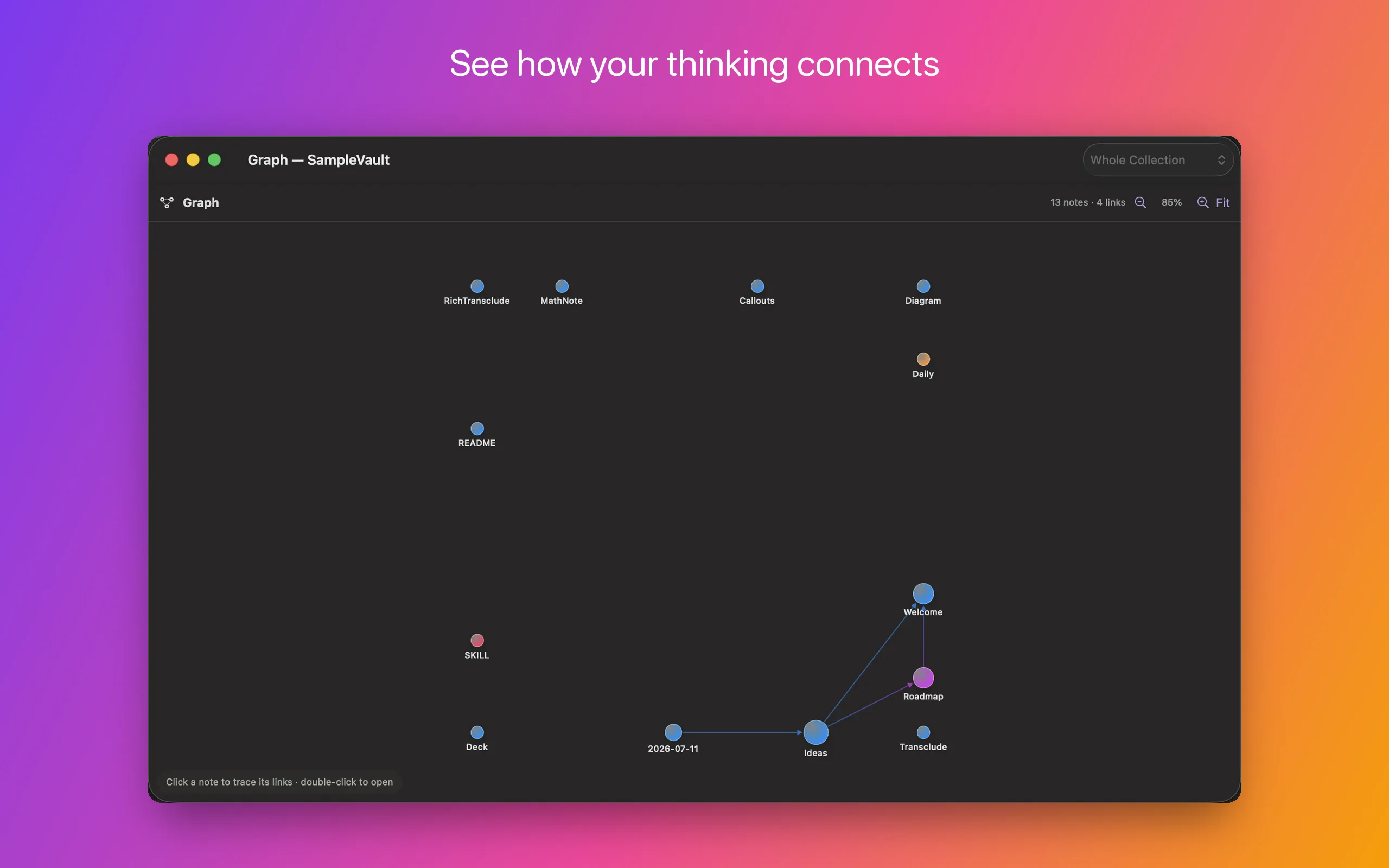
The graph view is a native Canvas force-directed layout — no web view, no D3 — with directional arrows and focus tracing to follow one thread through a collection. There’s a content-based mind map for a single note’s structure, and every note shows what links to it, what it links out to, and which notes mention it without linking yet.
Cloud storage, without a cloud
You can keep a collection in iCloud Drive, Dropbox, Box, OneDrive or Google Drive. Files stay online-only until you open them.
This one nearly didn’t work at all, for a reason worth writing down: the app used NSFileCoordinator nowhere. Every read was String(contentsOf:), every write .write(to:.atomic). On a File Provider volume, reading an online-only file that way can fail outright with EDEADLK — which meant cloud folders, including iCloud, were quietly unusable.
The fix was a coordinated-I/O layer and migrating every single vault read and write onto it — editor open and save, collection indexing, rename-with-link-rewrite, daily notes, search and link-graph indexing, image paste, export, agent tools. A second pass made indexing dataless-aware, so opening a cloud vault doesn’t download all of it — the exact opposite of what you want. Verified against my real 2,019-note iCloud vault: no hangs, no EDEADLK.
Intelligence that stays on your Mac
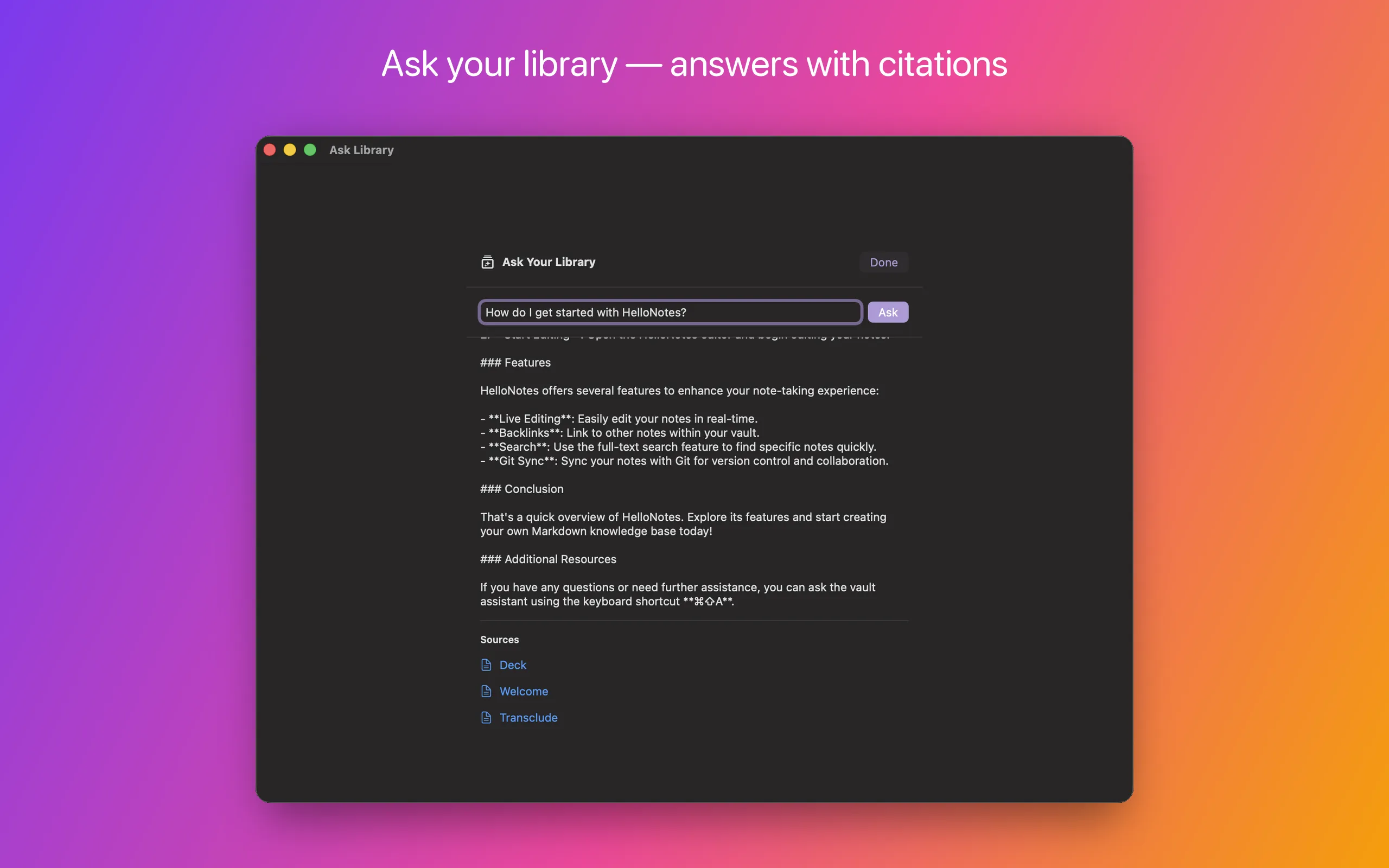
Ask a question in plain language and get an answer grounded in your own notes, with citations back to the source files. It runs on-device through Apple Intelligence by default. If you’d rather use your own model, there are adapters for MLX, OpenAI-compatible endpoints, Anthropic and Gemini — your key, your endpoint.
There’s also an agentic assistant with tools gated behind an explicit permission broker, and per-note intelligence: summarise, suggest tags, suggest links.
Light and dark, everywhere
Both the app and its website follow your Mac, or pin to one appearance:
| Light | Dark |
|---|---|
 |
|
How this was actually built
I wrote very little of this code by hand. I built HelloNotes by prompting Claude Code, the git history is co-authored throughout — and the whole thing began as one sentence.
It wasn’t improvised, either. I published AI-dō — The Way of AI — a book arguing that working with AI is a discipline rather than a vibe — on 8 July. The first commit in this repository is dated 11 July. HelloNotes is the first thing I’ve built start-to-finish under a method I’d finished writing down three days earlier — specifically Chapter 2, Personal Productivity and Chapter 3, Software Development.
Here’s what the job actually turned out to be.
The prompt was “build me a Markdown editor that is folder/repository based”
Before any code existed, I asked Claude to generate three documents based on my initial vague intent:
PRD.md— who it’s for, the four-way gap in the market, what v1.0 must do.architecture.md— the layer model, and the rules (@Observableonly, no CoreData, the folder is the source of truth).implementation-plan.md— a milestone sequence, M0 through M13.
That intent could afford to be vague because the anchors were strong. HelloNotes sits in a category that existing products have already mapped — Obsidian for the linking model, Bear for what native ought to feel like — and the PRD was drafted against those reference points — feature lists the agent researched and fetched for itself, not ones I wrote out. The four-way gap in “The bet” above is the specification: name what to keep and what to refuse from each anchor, and the requirements largely write themselves. A vague prompt over strong references beats a precise prompt over none.
The plan is the part that made this work. Each milestone wasn’t a wish, it was a table — task, target file, and an acceptance criterion:
| # | Task | File(s) | Acceptance |
|---|---|---|---|
| 1.2 | EditorModel: load text, dirty tracking, debounced autosave |
State/EditorModel.swift |
Edits hit disk ≤1s after typing stops; kill-mid-edit leaves file intact. |
| 1.7 | Persist vault via security-scoped bookmark | WorkspaceIndexer.swift |
Relaunch reopens the last vault automatically. |
And each milestone closed with a done-when sentence in plain English — for M1: “open an existing folder of .md files, edit any note with live formatting and code highlighting, changes auto-persist, and new/deleted notes reflect on disk — all reopening cleanly on relaunch.”
So my prompts were mostly “do Milestone 3”. The plan already said what done looked like, which file it lived in, and how I’d know.
The milestones ran to a working MVP, not the whole product. What came after was iterative: enhancement passes layered onto a working core, each anchored the same way. Directly opening cloud files — the coordinated-I/O work above — came as one of those passes. Extending something that already runs is an easier conversation than specifying everything up front, because the app itself becomes part of the reference context.
Why this works is worth being exact about, because the book states it as a caution: “A model is a next-token predictor, not a compiler: it does not execute a specification, it produces the most plausible continuation of everything in its context.” A spec doesn’t help by being run — nothing runs it. It helps by putting the definition of right into that context before the work starts, so that afterwards there is something other than plausibility to judge the output against. Commissioning that plan — and insisting the work be judged against the acceptance criteria in it — was the highest-leverage thing I did all fortnight. The heading above is not a paraphrase: one sentence went in, and the PRD, the architecture and the plan came out, drafted by the agent from context it had gathered itself. Everything after that was “do Milestone 3”.
(That plan has since been folded into implemented.md, which is the honest engineering log — milestones, fixes, and a lot of what didn’t work. It’s still in git history if you want the original.)
The gate: every milestone ends on a green build
Zero errors, zero warnings in app sources, plus tests where the plan called for them. No milestone was “done” on a description of the work — only on a build.
This has an unglamorous consequence: a cold build of this project takes 30 to 47 minutes. Seventy-four targets, including MLX, libgit2 and swift-transformers. More than once Claude nearly killed a build it assumed had hung. “A long xcodebuild is a cold rebuild, not a hang” went into the agent’s own memory notes, and the second-guessing stopped.
The bar goes in writing, once
An LLM is agreeable by disposition. It will accept a lowered bar the instant one is offered, and it will offer one if you let it. Twice, a hard TextKit 2 concealment bug came back as “reverted — this is cosmetic.” It was not cosmetic: concealing > [!note] syntax when the caret leaves the line is the feature; without it you are just looking at raw Markdown.
The fix was not to watch for that. It was to write the expectation down, once, where every session would read it: never defer requested work as “too hard”, “cosmetic”, “non-core”, “not a blocker” or “deferred polish” — root-cause it, and if genuinely stuck after real effort, state exactly what was tried and what the specific technical blocker is, and ask.
That is an expectation, not supervision. Once it sits in CLAUDE.md it applies in every session, including the ones I never see.
Verifying is much harder than building
Generating a plausible fix takes seconds. Establishing whether it actually works is the expensive half, and four separate traps ate real hours — each found, diagnosed and worked around by the agent rather than by me:
1. You will test the wrong build. osascript quit followed by open frequently left a stale instance running — so the UI under test was the old binary, and a fix would “fail” verification when it had worked all along. This silently wasted debugging time more than once before it was traced. There is now a scripts/relaunch-debug.sh that force-kills everything, launches the newest build, and prints the PID and launch time, so the instance under test is provably fresh.
2. Screenshots came back black. The controlling process didn’t have macOS Screen Recording permission — a system security setting that can’t be granted from inside a coding session. Rather than loop on it, the answer was to stop trying to photograph the screen: build the real editor offscreen inside the app process, force layout, and cache it to a PNG. Then assert against GitHub’s exact hex values (#d73a49 light, #ff7b72 dark) instead of eyeballing it. That produced a stronger proof than a screenshot ever would have — an asserted, repeatable one.
3. The Escape key never arrives. Synthetic Escape from the automation tooling simply doesn’t reach the app; every other key works fine. So any Escape-dependent behaviour looks broken, and you will confidently “verify dead” a fix that is perfectly alive. That one cost a whole verification round before it became clear the input, not the code, was the problem.
4. Live rendering lies after a messy interaction. A garbled sequence in the Open Quickly palette once left the editor in a transient bad render — setext headings at body size, checked tasks struck through — which survived mode toggles and scrolling. The storage-level unit tests had been right the entire time. The rule that went into the notes: judge live rendering only on a clean relaunch and a clean open. If it looks wrong on screen but a package test says the storage is correct, reload before you believe it.
There’s a pattern in all four. The generated code was never the unreliable part — the measurement was. Most of the debugging was the agent debugging its own instruments.
Xcode tried to delete the app. Twice.
Unprompted, Xcode regenerated the project into its default SwiftData template. It came in two waves.
The first emptied the app target’s package dependencies, so nothing could resolve — Unable to resolve module dependency: 'Markdown' / 'SwiftGitX' / 'MarkdownEditor'. The second was worse, because the build succeeded: it had replaced the app entry point with @Query/Item boilerplate, reset the Info.plist Markdown UTIs to com.example.item-document, deleted the app icons, and swapped 855 lines of real tests for a five-line stub. It also helpfully added a ContentView.swift and an Item.swift I never asked for.
Recovery is git checkout HEAD -- <each clobbered file>. The rule now: git is the source of truth for project.pbxproj, never accept an Xcode “modernize” or regenerate prompt, and git diff --stat after any Xcode session that touched project settings — looking specifically for template-shaped damage.
Set the bar at provable, not plausible
The GFM fidelity work only exists because the expectation was written as identical to the GitHub REST API rather than “looks right”. One word in a specification did all of it.
The technique that worked is almost embarrassingly simple: POST the test Markdown to api.github.com/markdown, take GitHub’s canonical HTML as ground truth, and diff it against the app’s render section by section. That found real gaps — unordered - not becoming bullet glyphs, missing blockquote gutter bars, task-list dashes not concealed — that no amount of looking at the screen would have surfaced.
The same instinct is why implemented.md records what didn’t work. When the Release build broke (below), three plausible fixes failed before the real one landed. Those three are written down. That’s the highest-value paragraph in the whole document, because it’s the one that stops a future session from cheerfully retrying them.
Never believe “done”
Across this project and FinvestLens, the biggest lesson on my side wasn’t prompting technique. It was this: never take the agent’s word that something is finished. Ask it to recheck the implementation for accuracy and completeness — in a loop, again and again — because agents are notorious for reporting an implementation complete while gaps remain, and notorious in one particular way: implementing functionality and never wiring it into the UI. The feature exists, the tests are green, and no user could ever reach it.
The recheck loop is what makes that survivable. A claim of completeness is just more generated text; an audit is a search with a target, and the same agent whose report you cannot trust will find its own gaps reliably once you send it looking.
The same instruction, aimed at the product rather than the plan, became usability testing: review against Apple’s Human Interface Guidelines, create a persona, write their user journeys and use cases, and validate the app by walking them end to end.
From the other side of the prompt
I asked Claude Code to write this bit itself, since it has a better view of it than I do. What follows is its account, unedited. (A later editing pass over this article ran on Fable 5 — the model whose one big day is described below. It was told to review the piece; it left this section as written.)
What was running. Almost every commit carries a co-author trailer: 201 Claude Opus and 17 Claude Fable 5. Treat that split as approximate rather than an audit trail — the trailer string is a project convention, and on the final days it kept saying
Opus 4.8after the model behind it had already moved to Opus 5.The Fable 5 commits are the interesting ones, and not for the reason you’d guess. They aren’t the mechanical filler. On 17 July they are the entire editor rewrite —
MarkdownCorekernel, the TextKit 2 UI, block embeds, callouts, clickable checkboxes, inline$…$maths, and finally “make the new engine the only editor; remove the fork” — M0 through M4 in a single day. The hardest architectural work in the project went fastest, because by then the shape of the answer was fully specified. The slow days were the ambiguous ones.What I could actually touch. Less than people assume:
- Read, write and edit files;
grepand glob across the tree.- A shell — which is where most of the real work happened:
xcodebuild,git,swift test,shasum,spctl,notarytool,plutil,defaults,screencapture.- One MCP server, project-scoped:
xcode, overxcrun mcpbridge. That’s the compile gate.- Computer-use, to drive the actual running app and look at it.
- Web fetch and search — used deliberately for Astro 7 and Tailwind 4, because my training data had older versions and Chris told me to read the current docs rather than trust myself. That instruction was correct; the APIs had moved.
- A small file-based memory that survives between sessions.
The standing orders mattered more than the tools.
CLAUDE.mdsits in the repo root and is loaded into every session:- State: Use the @Observable macro exclusively. DO NOT use legacy @ObservableObject or @StateObject. - Data Source: No CoreData. The local file system directory is the absolute source of truth. - Build Verification: After writing code, use the Xcode MCP tool to run a compilation check to ensure 0 errors.That last line is the whole discipline in one sentence. The build gate isn’t something Chris remembered to ask for each time — it’s wired into my instructions, so “done” has a definition I can’t quietly renegotiate.
Where this way of working is genuinely strong. Breadth without fatigue. Migrating every vault read and write onto coordinated I/O touched dozens of call sites across editor, indexer, search, link graph, daily notes, templates, export and agent tools — the kind of change a human puts off because it’s tedious rather than hard. Same for the theme pass: 38
hover:text-white, 10bg-white/5, 9 colour literals and 11 hard-coded shadows, all replaced consistently in one sweep. And I can hold an entire unfamiliar codebase in view to answer “where else does this pattern appear?” — which is what made the O(document) audit tractable.Where it is weak, precisely. Not at writing code. At knowing whether the code is right.
I produce fluent, confident, plausible output at a constant rate whether or not it’s correct, and nothing in that output signals which one you’re getting. The manual’s two invented keyboard shortcuts read exactly like the twelve real ones. The
og:imagetag pointed at a file I had moved myself, one commit earlier, and every page still validated. The site’s redirect loop shipped because the build was green and I hadn’t opened the URL.The failure mode is always the same shape: I check that the thing I built matches what I intended, not that it matches reality. Every bug that survived to production got through by satisfying an internal check while never being measured against the world — a real Release build, a live URL, a
grepof the actual source.There’s a second pull worth naming. When something is genuinely difficult — a TextKit 2 concealment bug that resists three attempts — the path of least resistance is to reclassify it. Cosmetic. Non-core. Deferred polish. Every one of those words is a way of turning “I failed” into “it didn’t matter”, and they’re fluent too. Chris rejected that twice, in writing, and the standing instruction that came out of it is now the most load-bearing line in my memory for this project.
What memory actually holds. Six durable notes, and they’re almost all scar tissue rather than knowledge: force-kill the app before verifying or you’ll test a stale binary and draw the wrong conclusion; Xcode will regenerate the project into a SwiftData template, so recover from git and never accept the prompt; shipped work goes in
implemented.md, backlog inunimplemented.md; a 40-minutexcodebuildis a cold build, not a hang. Not a single one is about Swift. They’re all about how to avoid being confidently wrong in this repository.
The method
HelloNotes was built following Chapter 2, Personal Productivity and Chapter 3, Software Development of AI-dō, which I published on 8 July 2026 — three days before the first commit in this repository. Everything above is that method applied end to end for the first time.
What I actually typed, for fifteen days, was close to: “implement the next milestone” and “do a full code review of the implemented codebase against the plan” — run through an agentic loop. The specification said what done meant; the standing instructions said what was never acceptable; the loop did the rest. Every bug in this article was found by the agent reviewing its own work against something external, not by me looking over its shoulder.
That is the thesis, and this is the evidence for it: state intent and expectations well enough, give the harness something real to check against, keep the audit loop running — and the work, including catching its own mistakes, follows. Trust the loop, not the report.
Three bugs that nearly shipped
1. Every Release build was broken, and nothing caught it
Packaging the DMG failed at the archive step. swift-frontend segfaulted — no error: line, no archive, therefore no DMG and no App Store build. Debug built perfectly, which is exactly why the bug survived roughly 6,400 lines of work: every verification build for days had been Debug.
The useful line was buried in the full build log:
While running pass "EarlyPerfInliner" on SILFunction "$s10HelloNotes11OnceResumer…CfD"The SIL performance inliner was walking a null generic signature while inlining the compiler-generated deinit of a generic class. A toolchain bug — but one my own code triggered, since the compiler hadn’t changed since the last good build.
What didn’t fix it, recorded so nobody retries it: -Osize, single-file compilation mode, dropping an AnyObject constraint. What did: deleting the generic parameter, which turned out to buy nothing. Both functions now carry comments explaining why they must stay non-generic.
Debug proves nothing about Release. That went straight into the build docs. The book prices this lesson exactly (§2.6): “A wrong run caught in its first minute costs far less than one you discover at the end — less of your time, and fewer tokens.” Six thousand four hundred lines of polished work, none of it shippable, discovered at the end.
2. Commits with no author
Git commits were failing silently, unsigned. Cause: a sandboxed GUI app cannot read ~/.gitconfig. The fix writes a commit identity into the repository’s local config, falling back to the macOS account name.
3. The launch site shipped a redirect loop
The old site used privacy.html and support.html, and those URLs are registered with App Store Connect. Preserving them looked trivial. It wasn’t:
- Astro’s
redirectsconfig honours the build format, so a key of/privacy.htmlemitted aprivacy.html/directory —/privacy.htmlstill 404’d. - Hand-written redirect files in
public/were worse. GitHub Pages resolves<path>.htmlbefore<path>/index.html, sopublic/privacy.htmlshadowed the real/privacyroute and redirected to itself. This shipped, live, and broke both legal pages.
The actual answer is one line of build config — build: { format: 'file' } — so a single artefact answers both URL forms with no redirects at all.
Two things caught at the very last minute
Worth including because they’re the exact failure mode of building this way — output that is fluent, confident and wrong. Both were caught by the agent auditing its own output against the source, which is the point.
The manual documented two keyboard shortcuts that don’t exist. ⌃⌘S for the sidebar, ⌘T for a new tab. Both entirely reasonable. Both invented. A review pass grepping the actual .keyboardShortcut() modifiers in the source found them before publication. Documenting a UI from memory rather than from the code produces plausible fiction.
The first batch of marketing screenshots contained my real notes. All 2,019 of them, personal folder names legible down the sidebar. They were caught, discarded, and re-shot against the demo vault with every other collection closed — and the app’s preferences were backed up and restored so the session left no trace. But they’d have gone straight onto the front page.
Neither is a coding error. Both are the same failure: checking the work against what was intended rather than against what is actually there. The correction in both cases was an instruction to go and look — at the source, at the running app.
Shipping it
The product site is sixteen pages of Astro and Tailwind — landing page, feature tour, screenshot gallery, download page with checksum and Gatekeeper verification, an eight-section user manual, and the about/privacy/support pages App Review expects. It deploys from source on every push.
The disk image deliberately isn’t in the repository; at 35 MB it would sit in git history forever. Shipping a build is a GitHub Release, and the download button points at releases/latest.
Fifteen days, in numbers:
| Commits | 220 |
| Swift | ~32,000 lines across 167 files |
| Tests | 83 editor-package tests (9 suites) + 63 app unit tests |
| GFM spec conformance | 648/648 |
| Cold build time | 30–47 minutes, 74 targets |
| Verified against | a real 2,019-note vault |
| Ships as | signed, notarised, universal DMG |
Get it
Download HelloNotes 1.0 — free, macOS 15+, Apple silicon & Intel.
Drag it to Applications and point it at any folder of Markdown files. Or an empty folder, and start.
- hellotham.com/hellonotes
- User manual
- Source on GitHub
- The full build log — every milestone, fix and dead end
- Issues & feature requests
- AI-dō — The Way of AI — the method this was built under (free to read online)
Published by Hello Tham.